










Garmo API
The AI image editing API for fashion and product photos
Garmo Studio over HTTP: send a product photo and a prompt to get new product or on-model photos, or edit the photos you have: colorways, poses, models, backgrounds and 4K. Made for clothing, shoes, bags and jewelry, with the same account as the app.
Test keys are free and need no pack.
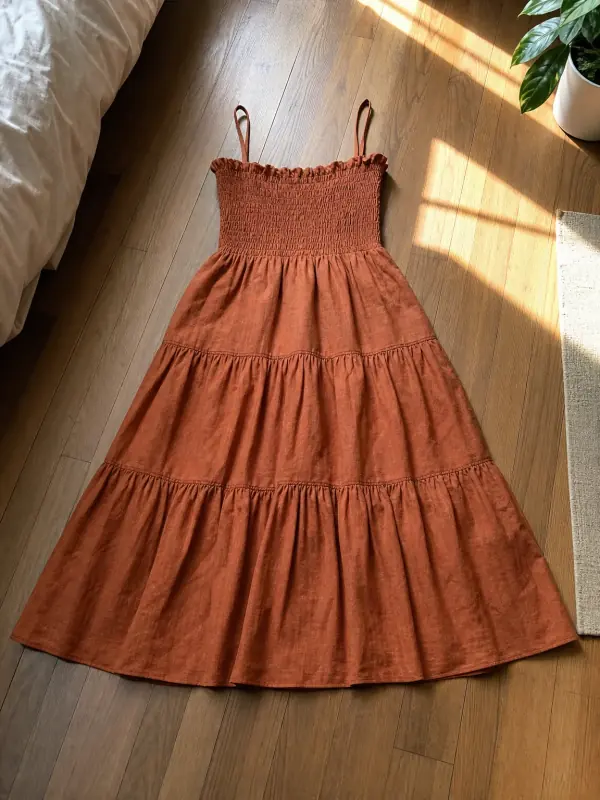
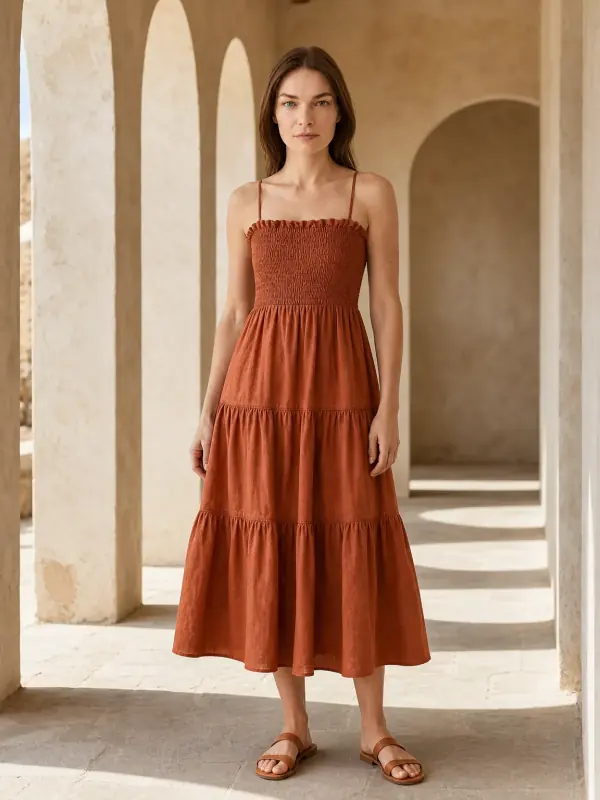

{
  "model": "auto",
  "prompt": "a sunlit stone colonnade, warm late-afternoon light",
  "count": 2
}
Generate and edit, one API
Each endpoint does one job well and keeps the product exactly as it is: color, fabric, print, logo and stitching.
BeforeAfterPhotoshoot APIOne product photo and a prompt in, new photos out, on a model or without.POST /generate Before
 AfterClothes color changer APIEvery colorway from one photo, to the exact hex.
POST /edit/color Before
 AfterPose changer APIThe back view and the walking shot from one photo.
POST /edit/pose Before
 AfterModel swap APIThe same outfit and pose on another model.
POST /edit/model-swap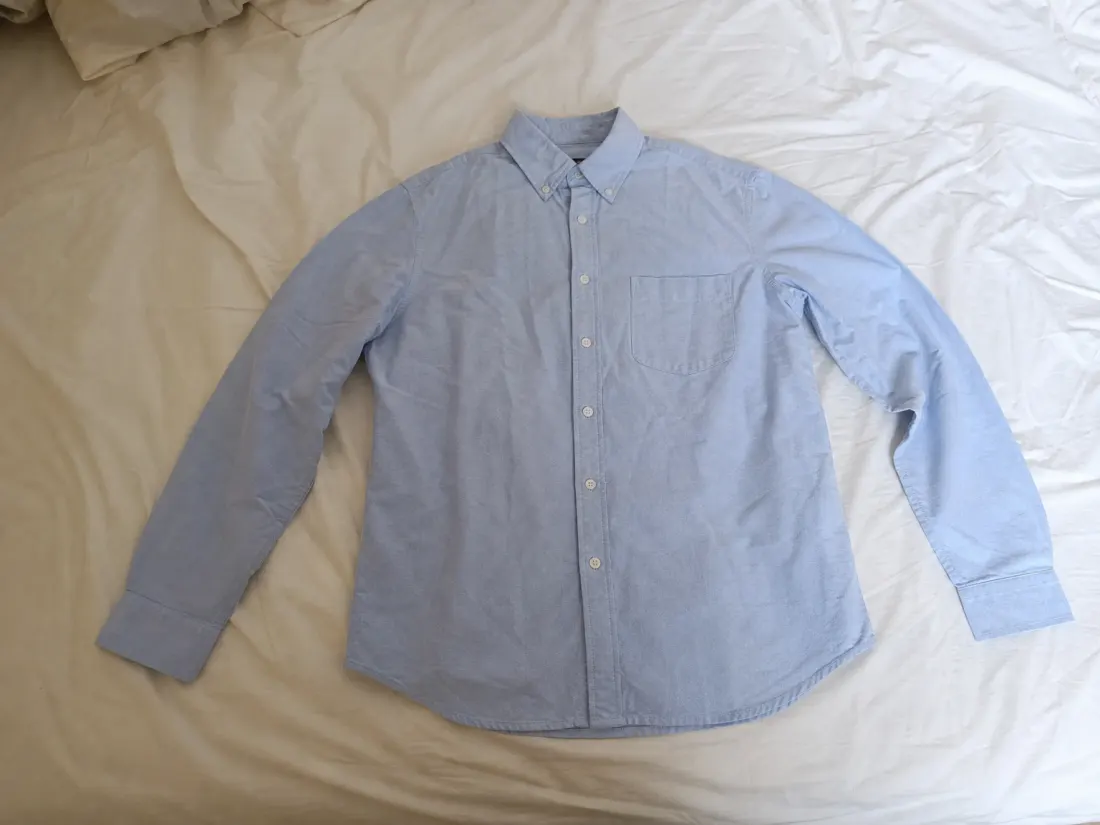 Before
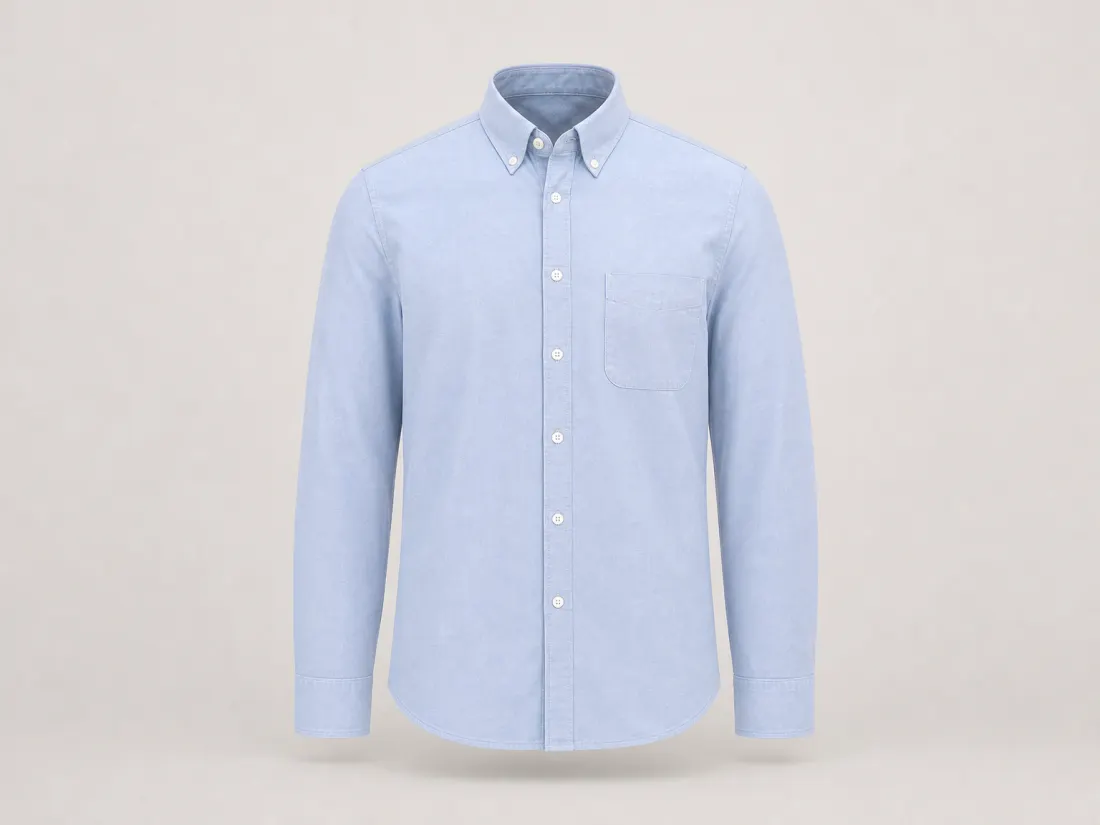 AfterGhost mannequin APIThe invisible-mannequin shot, without the mannequin.
POST /edit/ghost-mannequin Before
 AfterBackground changer APIKeep the subject, change the place, match the light.
POST /edit/background Before
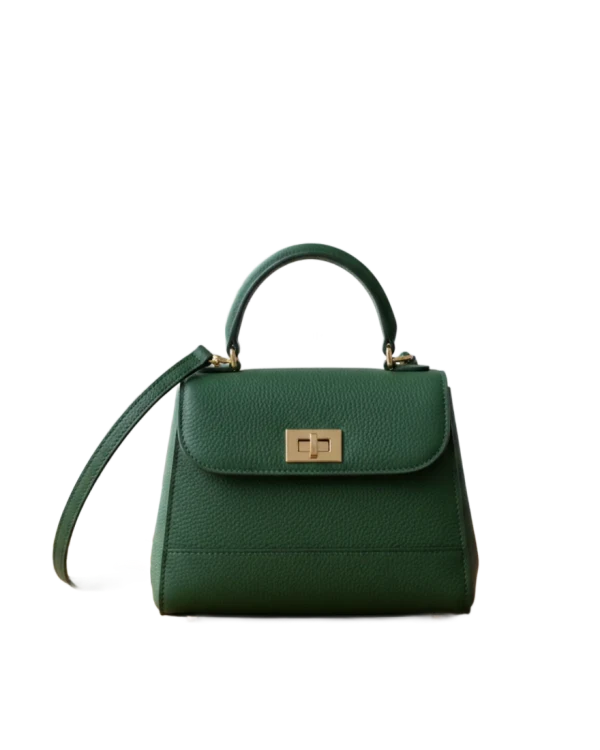 AfterBackground remover APICut out products onto transparent, white or a brand color.
POST /edit/remove-background Before
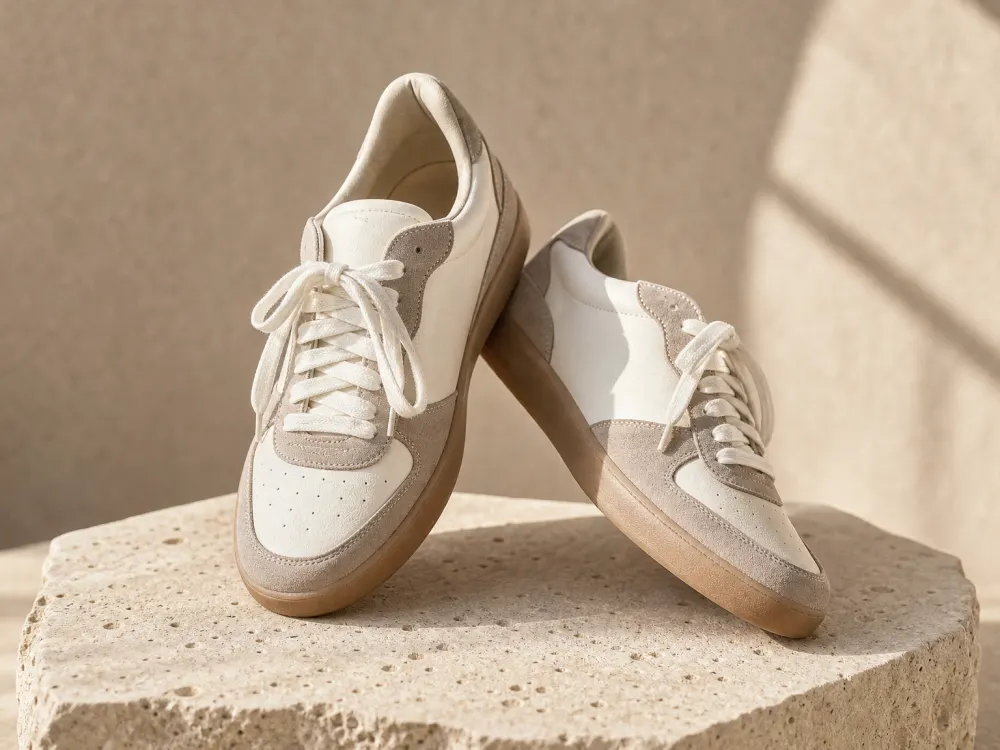 AfterImage upscaler API2K or 4K product photos with real material detail.
POST /edit/upscaleHow it works, step by step
From key to finished image in four steps. Your code never waits: Garmo works in the background and tells you when the images are ready.
- 01
Create a key
In Garmo Studio, open Developers › API and create a key. A test key is free and returns your own photo as the result, so you can build everything first.
gm_test_•••••••• - 02
Send the photo
POST the product photo (a URL, the file or an upload id) with a prompt, or to an edit endpoint with its parameters.
POST /generate - 03
Get a job id at once
The answer comes in about two seconds with a job id and the status processing. Garmo makes the images in 20 to 90 seconds.
202 · processing - 04
Receive the images
A signed webhook arrives when the job is done, or you check GET /jobs/{id}. Each image is a download link valid for a day; a failed image gives its credit back.
job.completed
curl https://api.garmo.studio/v1/generate \
  -H "Authorization: Bearer $GARMO_API_KEY" \
  -H "Idempotency-Key: $(uuidgen)" \
  -H "Content-Type: application/json" \
  -d '{
    "image_url": "https://shop.example/products/sundress-41.jpg",
    "model": "auto",
    "prompt": "a sunlit stone colonnade, warm late-afternoon light",
    "count": 2
  }'
const r = await fetch("https://api.garmo.studio/v1/generate", {
method: "POST",
headers: {
Authorization: `Bearer ${process.env.GARMO_API_KEY}`,
"Idempotency-Key": "order-123-generate",
"Content-Type": "application/json",
},
body: JSON.stringify({"image_url": "https://shop.example/products/sundress-41.jpg", "model": "auto", "prompt": "a sunlit stone colonnade, warm late-afternoon light", "count": 2}),
});
const job = await r.json();
console.log(job.id, job.status);import os, requests
r = requests.post(
"https://api.garmo.studio/v1/generate",
headers={"Authorization": f"Bearer {os.environ['GARMO_API_KEY']}", "Idempotency-Key": "order-123-generate"},
json={
"image_url": "https://shop.example/products/sundress-41.jpg",
"model": "auto",
"prompt": "a sunlit stone colonnade, warm late-afternoon light",
"count": 2,
},
)
job = r.json()
print(job["id"], job["status"])<?php
$ch = curl_init("https://api.garmo.studio/v1/generate");
curl_setopt_array($ch, [
CURLOPT_RETURNTRANSFER => true,
CURLOPT_POST => true,
CURLOPT_POSTFIELDS => json_encode(["image_url" => "https://shop.example/products/sundress-41.jpg", "model" => "auto", "prompt" => "a sunlit stone colonnade, warm late-afternoon light", "count" => 2]),
CURLOPT_HTTPHEADER => ["Authorization: Bearer " . getenv("GARMO_API_KEY"), "Idempotency-Key: order-123-generate", "Content-Type: application/json"],
]);
$job = json_decode(curl_exec($ch), true);
echo $job["id"], " ", $job["status"];require "net/http"
require "json"
uri = URI("https://api.garmo.studio/v1/generate")
req = Net::HTTP::Post.new(uri)
req["Authorization"] = "Bearer #{ENV.fetch("GARMO_API_KEY")}"
req["Idempotency-Key"] = "order-123-generate"
req["Content-Type"] = "application/json"
req.body = <<~'JSON'
{
"image_url": "https://shop.example/products/sundress-41.jpg",
"model": "auto",
"prompt": "a sunlit stone colonnade, warm late-afternoon light",
"count": 2
}
JSON
res = Net::HTTP.start(uri.host, uri.port, use_ssl: true) { |http| http.request(req) }
job = JSON.parse(res.body)
puts job["id"], job["status"]package main
import (
"fmt"
"io"
"net/http"
"os"
"strings"
)
func main() {
body := strings.NewReader(`{
"image_url": "https://shop.example/products/sundress-41.jpg",
"model": "auto",
"prompt": "a sunlit stone colonnade, warm late-afternoon light",
"count": 2
}`)
req, _ := http.NewRequest("POST", "https://api.garmo.studio/v1/generate", body)
req.Header.Set("Authorization", "Bearer "+os.Getenv("GARMO_API_KEY"))
req.Header.Set("Idempotency-Key", "order-123-generate")
req.Header.Set("Content-Type", "application/json")
res, err := http.DefaultClient.Do(req)
if err != nil {
panic(err)
}
defer res.Body.Close()
out, _ := io.ReadAll(res.Body)
fmt.Println(res.Status, string(out))
}import java.net.URI;
import java.net.http.HttpClient;
import java.net.http.HttpRequest;
import java.net.http.HttpResponse;
public class Garmo {
public static void main(String[] args) throws Exception {
String body = """
{
"image_url": "https://shop.example/products/sundress-41.jpg",
"model": "auto",
"prompt": "a sunlit stone colonnade, warm late-afternoon light",
"count": 2
}
""";
HttpRequest req = HttpRequest.newBuilder(URI.create("https://api.garmo.studio/v1/generate"))
.header("Authorization", "Bearer " + System.getenv("GARMO_API_KEY"))
.header("Idempotency-Key", "order-123-generate")
.header("Content-Type", "application/json")
.POST(HttpRequest.BodyPublishers.ofString(body))
.build();
HttpResponse<String> res = HttpClient.newHttpClient().send(req, HttpResponse.BodyHandlers.ofString());
System.out.println(res.statusCode() + " " + res.body());
}
}{
"id": "job_8Kq2xV7mPz4LtR9wNc3B",
"object": "job",
"tool": "generate",
"status": "processing",
"livemode": true,
"outputs": [
{
"id": "out_1",
"status": "processing",
"label": "Front"
},
{
"id": "out_2",
"status": "processing",
"label": "Walking"
}
],
"credits_charged": 2,
"credits_refunded": 0,
"metadata": {
"sku": "DR-123"
},
"created_at": "2026-11-19T14:02:11Z",
"completed_at": null
}{
"id": "job_8Kq2xV7mPz4LtR9wNc3B",
"object": "job",
"tool": "generate",
"status": "completed",
"livemode": true,
"outputs": [
{
"id": "out_1",
"status": "succeeded",
"label": "Front",
"url": "https://….r2.cloudflarestorage.com/renders/2026/11/8f3c…0.webp?X-Amz-Signature=…",
"url_expires_at": "2026-11-20T14:00:00Z"
},
{
"id": "out_2",
"status": "succeeded",
"label": "Walking",
"url": "https://….r2.cloudflarestorage.com/renders/2026/11/8f3c…1.webp?X-Amz-Signature=…",
"url_expires_at": "2026-11-20T14:00:00Z"
}
],
"credits_charged": 2,
"credits_refunded": 0,
"metadata": {
"sku": "DR-123"
},
"created_at": "2026-11-19T14:02:11Z",
"completed_at": "2026-11-19T14:02:58Z"
}{
"id": "evt_1842a7c9e3ea2b51",
"type": "job.completed",
"created_at": "2026-11-19T14:02:59Z",
"data": {
"id": "job_8Kq2xV7mPz4LtR9wNc3B",
"object": "job",
"tool": "generate",
"status": "completed",
"livemode": true,
"outputs": [
{
"id": "out_1",
"status": "succeeded",
"label": "Front",
"url": "https://….r2.cloudflarestorage.com/renders/2026/11/8f3c…0.webp?X-Amz-Signature=…",
"url_expires_at": "2026-11-20T14:00:00Z"
},
{
"id": "out_2",
"status": "succeeded",
"label": "Walking",
"url": "https://….r2.cloudflarestorage.com/renders/2026/11/8f3c…1.webp?X-Amz-Signature=…",
"url_expires_at": "2026-11-20T14:00:00Z"
}
],
"credits_charged": 2,
"credits_refunded": 0,
"metadata": {
"sku": "DR-123"
},
"created_at": "2026-11-19T14:02:11Z",
"completed_at": "2026-11-19T14:02:58Z"
}
}{
"error": {
"code": "invalid_request",
"message": "count must be a whole number from 1 to 4.",
"request_id": "req_7fHs2KqPz9LwXcVb"
}
}{
"error": {
"code": "invalid_api_key",
"message": "This API key is not valid. It may have been revoked.",
"request_id": "req_Mt4nB8xRe1JyQoUa"
}
}{
"error": {
"code": "insufficient_credits",
"message": "This request needs 2 API credits; the balance is 0. Buy an API pack in Garmo Studio.",
"request_id": "req_XNnjm6TTkLMMNnVq"
}
}{
"error": {
"code": "concurrency_limited",
"message": "Your account can have 10 images rendering at once and 10 are still rendering. Try again when some finish.",
"request_id": "req_Q2v8LmYt0pRk4sWd"
}
}All error codes →400401402403404409413429500503
 API
Also works with Gemini CLI, GitHub Copilot and any agent that can call an API.
Coding agents
Use Garmo from Claude Code, Codex and Cursor
Your coding agent finds your product photos, sends the brief and saves the finished images in your folder. You describe what you want; you do not write any code.
Every docs page is also Markdown, so any agent can read it and make images from your prompt. Or install the Garmo skill once and just ask.
Install the skill for Claude Code, Codex and Cursor
for d in ~/.claude/skills ~/.codex/skills; do
  mkdir -p "$d/garmo" && curl -fsSL https://garmo.studio/api/skill/SKILL.md -o "$d/garmo/SKILL.md"
doneWhy build on Garmo
Made for fashion
Every prompt behind the endpoints is tuned for garments and products, so a recolor keeps the satin sheen and a new pose keeps the print.
One account for Studio and API
The same Garmo account works in Studio and through the API, and jobs made by the API show up in your Studio library.
Test keys cost nothing
A gm_test_ key runs every endpoint for free and returns your own photo as a stand-in result, so you can build the whole integration before buying anything.
Built to be retried
Idempotency keys, signed webhooks with retries, and clear error codes. A failed image gives its credit back by itself.
What people build with it
Shop catalog sync
New product in the catalog → recolor for every variant and a clean white image, written back to the product.
No-code workflows
Call it from n8n, Make or Zapier with a plain HTTP step; the webhook feeds the next step.
Marketplace listings
Ghost mannequin and upscale for every listing photo before it goes to the marketplace.
API credit packs
One-time purchases on the API page in Garmo Studio. API credits are separate from Studio credits and subscriptions.
- 10 create requests / min
- 3 images at once
- 120 reads / min
- 20 create requests / min
- 6 images at once
- 300 reads / min
- 40 create requests / min
- 10 images at once
- 600 reads / min
- 60 create requests / min
- 20 images at once
- 1,200 reads / min
Questions, answered.
What developers ask before connecting Garmo to a shop or a workflow.
Still stuck? Email usIs the API separate from a Garmo subscription?
Yes. The API uses API credits, bought in packs on the API page in Garmo Studio. Studio credits and subscriptions are not used by the API, and API credits are not used in Studio.
Can I try it before paying?
Yes. Create a test key on the API page: it calls every endpoint, returns your own photo as a stand-in result and spends nothing. Live keys need an API pack.
Can I just send a photo and a prompt?
Yes. POST /generate takes one product photo and a prompt in your own words and makes up to four new photos. Add a model and the product is worn.
How long does an image take?
The request returns in about two seconds. The images usually follow in 20 to 90 seconds, depending on the edit and the load.
Who owns the results?
You do, as with images made in Garmo Studio: use them commercially on your shop, marketplaces and ads. API results have no watermark.
Do I need to host my images?
No. Send a public https URL, the image as base64, or upload it once with POST /uploads and use the upload id.
Is there documentation?
Yes: a getting-started guide, every endpoint with its parameters and examples in cURL, Python, Node.js and PHP, webhooks, errors and rate limits, plus an OpenAPI 3.1 file for code generators.
Get an API key
Test keys are free and need no pack.