AI model swap New

Swap the model in a fashion photo, keep the clothes

Keep the outfit, the pose and the light, and change who is wearing it. Choose one of Garmo's models or your own, and show each market, size range or campaign a face that fits it, from the photos you already have.

  • 3 images free
  • No credit card
  • Commercial rights
Pick a modelSee all examples
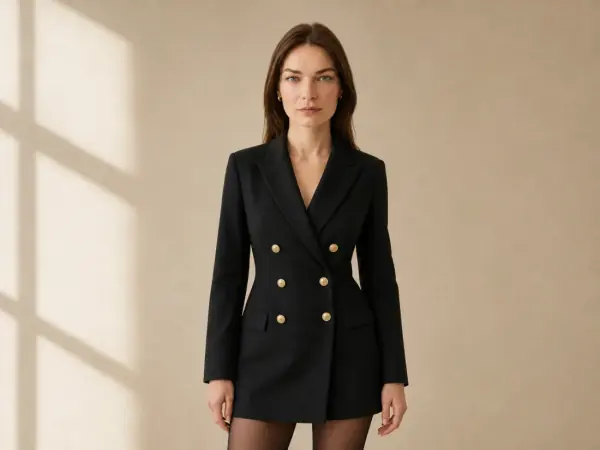
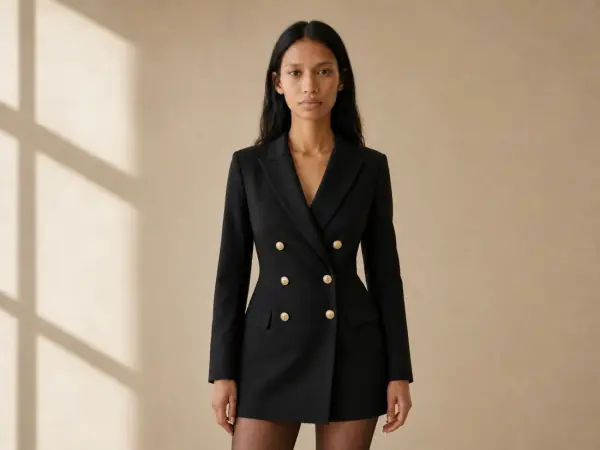
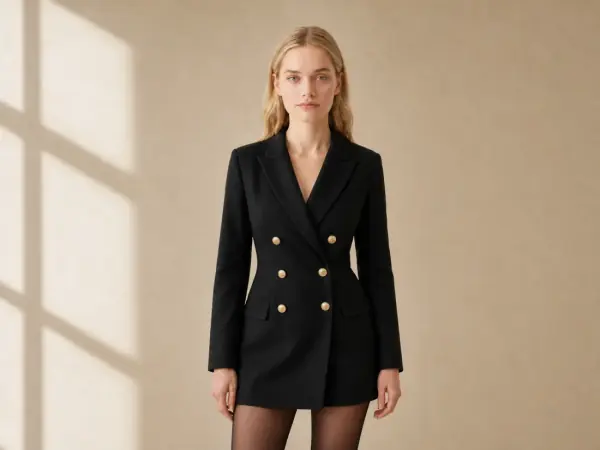
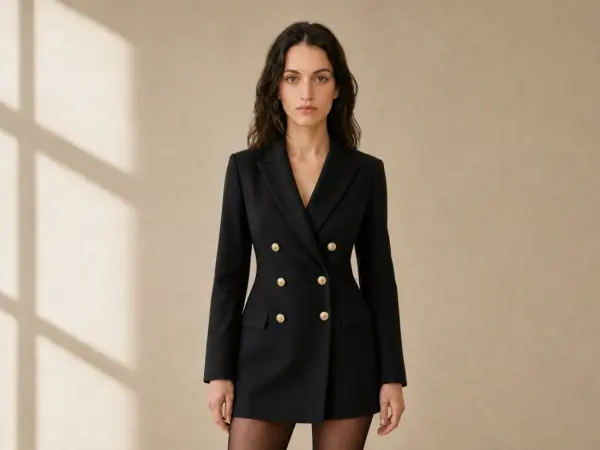
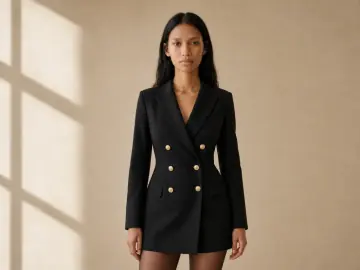
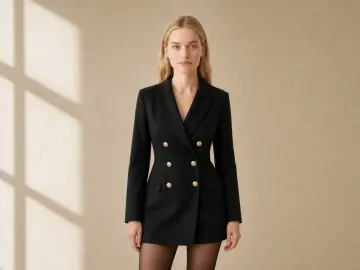
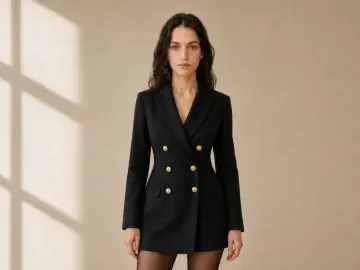
Model Leyla in a black double-breasted blazer dress with gold buttons in a sunlit roomThe same blazer dress, pose and room with model AmaraThe same blazer dress, pose and room with model YunaThe same blazer dress, pose and room with model Emma
01

Upload a photoOn a model, from Garmo or your shoot.

02

Pick the new modelA Garmo model or one you created.

03

DownloadSame outfit, pose and light, new model.

One photo, five models

Model swap examples

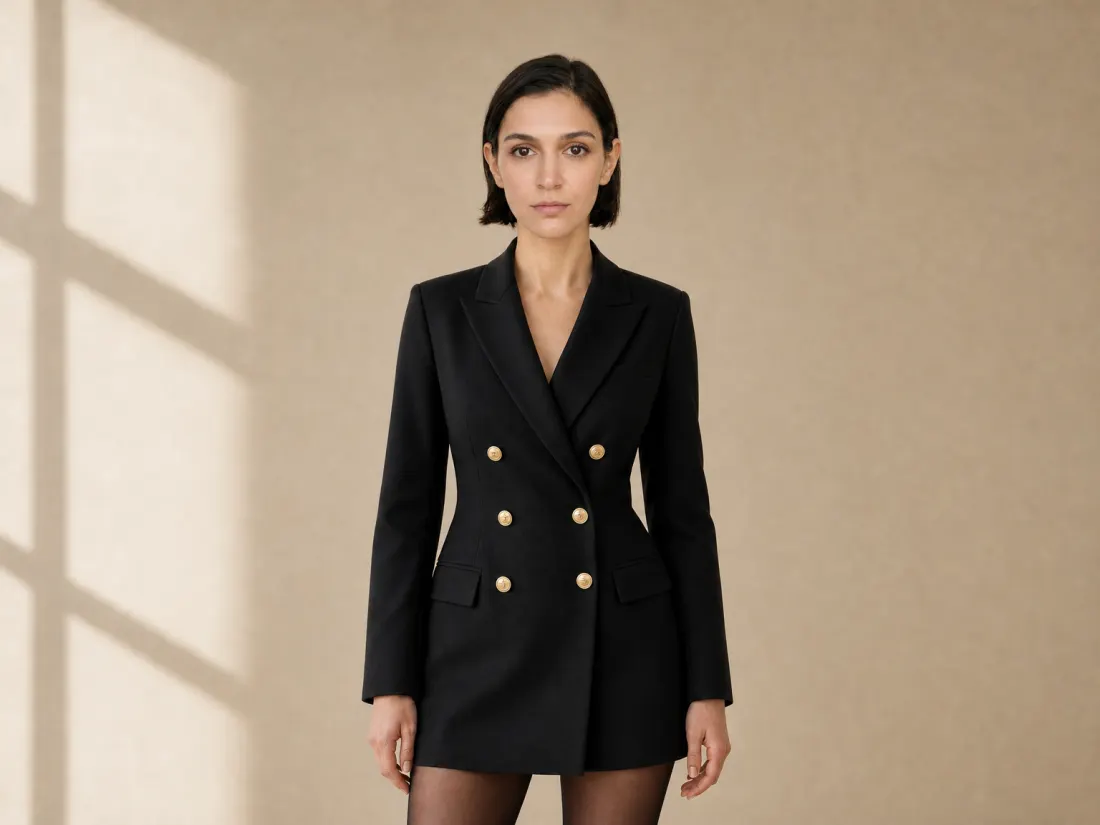
The blazer dress, the pose, the window light and the room are the same in every frame. Only the model changes, so the images can be used side by side in one collection.

Example

Double-breasted blazer dress

Gold buttons, the peak lapels and the length of the dress carry over to every model, and so do the sheer tights. The new model's skin tone, hair and face are lit the same way as the original.

Try it with your own photo
The original: Leyla in the black blazer dressYour photo
Original
Model swap: Amara in the same blazer dress
Amara
Model swap: a model with a short dark bob in the same blazer dress
Short dark hair
Model swap: Emma in the same blazer dress
Emma
Model swap: Yuna in the same blazer dress
Yuna

02 / 03

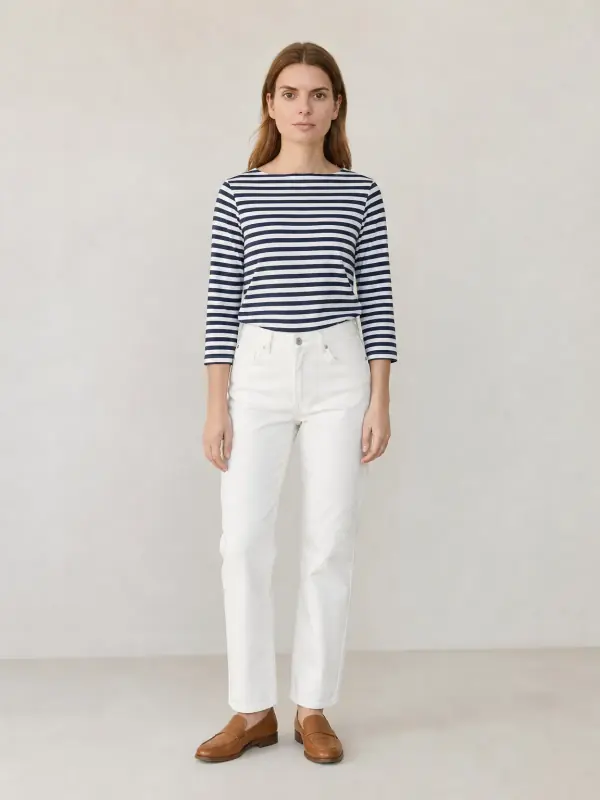
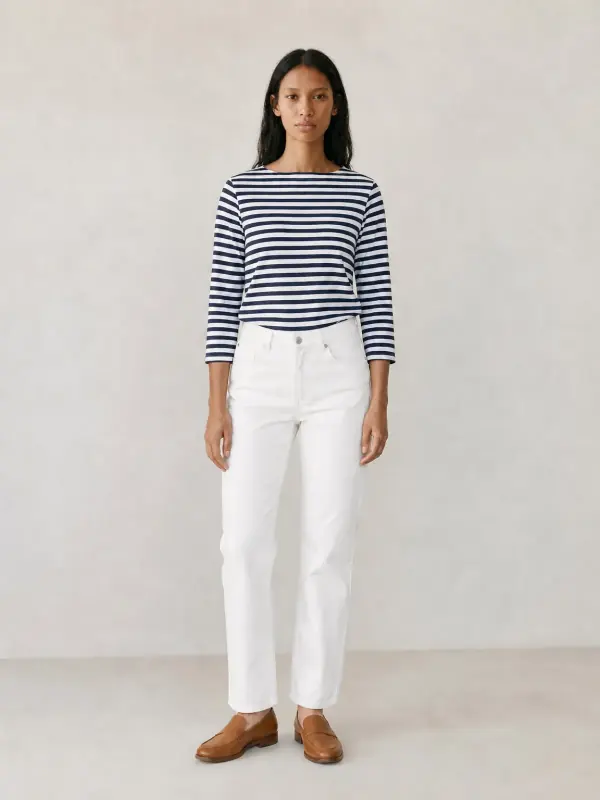
Breton top and white jeans

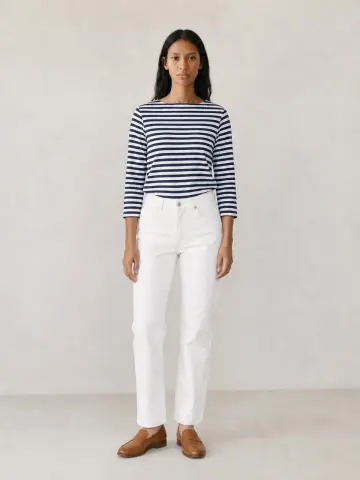
Freya in the original, then another model in the same striped top, jeans and loafers, in the same pose and light. The stripes line up the same way on every model.

Try it with your own photo
The original: Freya in a navy-and-white striped Breton top and white jeans in a studioYour photo
Original
Model swap: Amara in the same Breton top and white jeans
Amara

03 / 03

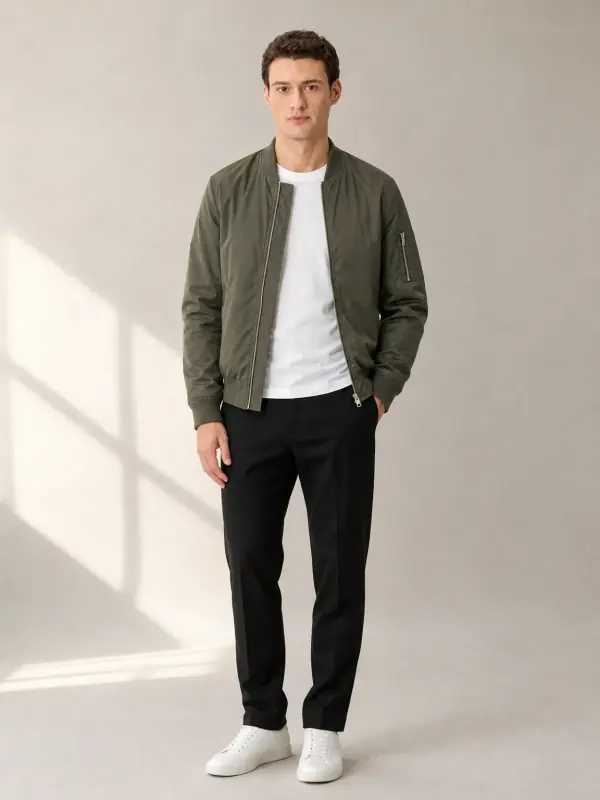
Olive bomber jacket

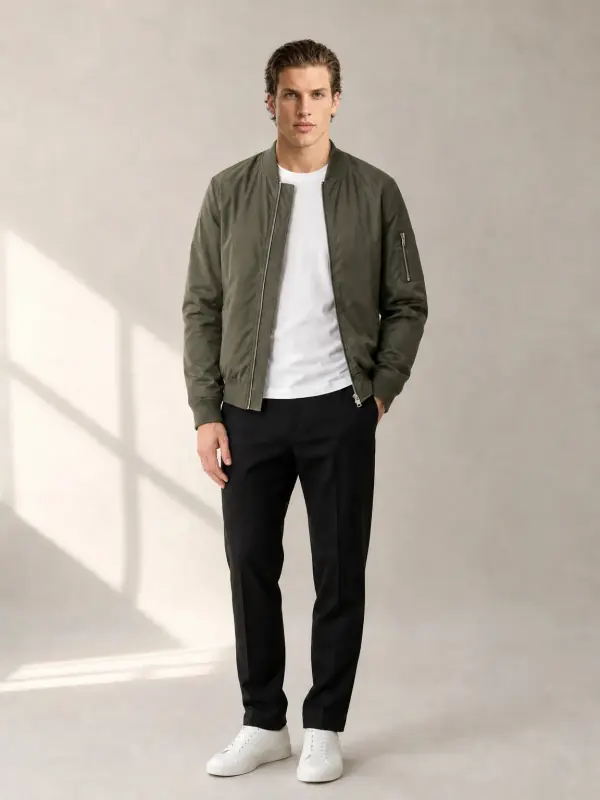
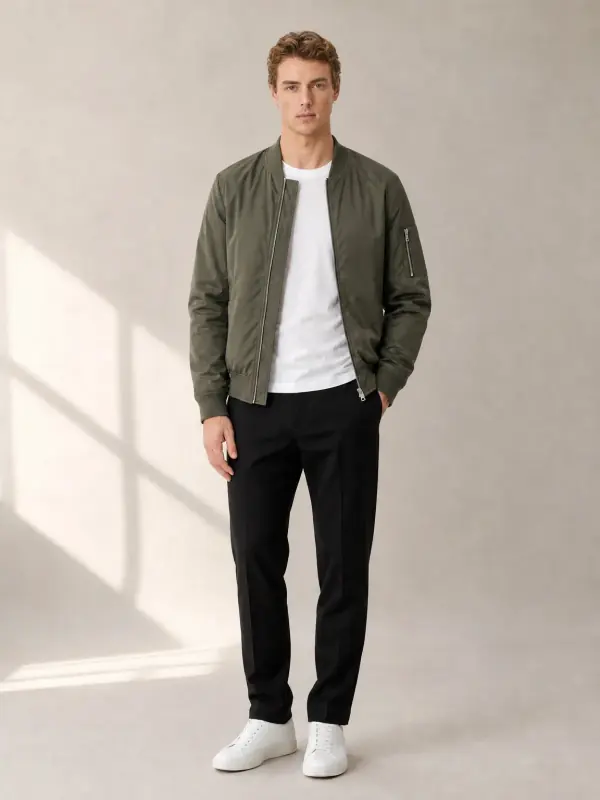
Model swap works for menswear too: the same olive bomber, T-shirt and trousers, worn by Kerem, Noah and Mateo, with the jacket hanging open the same way.

Try it with your own photo
The original: Kerem in an olive nylon bomber jacket over a white T-shirt in a studioYour photo
Original
Model swap: Noah in the same olive bomber outfit
Noah
Model swap: Mateo in the same olive bomber outfit
Mateo

A new model, the same shot

What changes and what stays the same

Stays the same

  • The outfit, its fit and every detail
  • The pose and the framing
  • Light, background and colour grading
  • Accessories the model is wearing

Changes

  • The model's face and hair
  • Skin tone and body, if you choose
  • Hands and visible skin to match
  • Nothing in the garment

Representation without reshoots

Why brands swap models

  1. 01

    Show shoppers someone like them. Shoppers buy more confidently when they can picture the garment on someone who looks like them. Swapping the model lets one shoot cover different ages, skin tones and looks. Our guide on diverse AI models for ecommerce explains how to do it honestly.

  2. 02

    One shoot for several markets. A campaign shot for one country can be adapted for another with a model who fits that market, without flying a team around the world.

  3. 03

    A consistent face across the catalogue. If older products were shot with different models, swap them all to the model you use now, so the store looks like one shoot. See how to keep one consistent AI model across a catalogue.

  4. 04

    When the usage rights run out. Model contracts often limit how long and where a photo can be used. Swapping to a Garmo model lets you keep the product photo after the original model's rights end.

More faces, one shoot

Who uses AI model swap

For a natural swap

Tips for the best model swaps

Works well

  • Face clearly visible

    A front or three-quarter view of the face gives the cleanest swap.

  • Similar build to the new model

    Choose a model whose build suits the garment's fit as photographed.

  • Keep one model per collection

    Swap every product to the same model so the store looks consistent.

Avoid

  • Face hidden or turned away

    Hair over the face or a back view leaves little to work with.

  • Very different body types

    A swap keeps the garment's fit; it does not show how it fits another size.

  • Real people without consent

    Never swap in a real person's face. Use Garmo models or your own models with consent.

Use it responsibly

Rights, consent and limits

  • Your own photos
  • Model consent
  • Fit honesty

Swap models only in photos you own or have the right to edit. If the original shows a real model, check that their contract allows the image to be edited, and if you use your own new model, have their consent for AI images of them.

Garmo's stock models are made for this: you can use them for any product, in any market, with commercial rights included. Garmo does not swap in the face of a real, identifiable person.

A model swap keeps the garment exactly as it was photographed. It is a presentation, not a size or fit prediction, so the fit on a different body type may differ. Keep your size chart on the product page.


Pricing

Your first 3 images are on us.

No credit card. Commercial rights included.

  • Starter

    $9/ month

    50 images a month

    from $0.18 per image

  • Most popularCollection

    $19/ month

    200 images a month

    from $0.10 per image

  • Studio

    $39/ month

    500 images a month

    from $0.08 per image

Start with 3 free images, no card needed. Then pick a plan; each image or edit uses one credit and yearly billing gives you two months free.

Start with 3 free imagesSee all plans

FAQ

A few things you might ask.

Ready to try yours?

What is an AI model swap?

It replaces the model in a fashion photo with a different one while keeping the outfit, pose, light and background, so you get the same shot with a new model.

Can I swap in my own model?

Yes. You can create a model with the AI fashion model generator or use one of Garmo's stock models. If your model is a real person, you need their consent.

Does the outfit change?

No. The garment, its fit as photographed, colour, details and accessories all stay the same.

Can I use photos from my own shoot?

Yes, if you have the rights to edit them. Check that the original model's contract allows edited versions of the image.

Can I swap in a celebrity or a real person?

No. Garmo does not create images of real, identifiable people without their consent. Use Garmo's models or your own models who have agreed.

Is it free?

Your first 3 images are free and you do not need a credit card. After that, each swap uses one credit from your plan.

Can I sell with these images?

Yes. Images with Garmo models come with commercial rights for your store, marketplaces, ads and social media.

Guides for better product photos

Practical posts from the Garmo blog that go with this tool.

The right model for every market.

3 free images · no credit card · commercial rights included

Swap a model free

Updated

3 images freeNo credit card Try it free